Smartphones are useful tools for everyday life, but they're privy to nearly everything about you, including all the places you've been — if you let them.
Sometimes your phone needs to know your location to provide a useful service, like telling the Uber driver where to pick you up. But in other cases, there's little justification for tracking your whereabouts, which then can be exploited by apps, ad services or even hackers.
"From fitness tracking to navigation, every location ping potentially reveals details about our routines and movements — which could be risky in the wrong hands," said Darren Guccione, CEO of Keeper Security. "Users should turn on location tracking only when necessary, such as during navigation, emergencies or sharing updates with trusted contacts, and disable it immediately afterward."

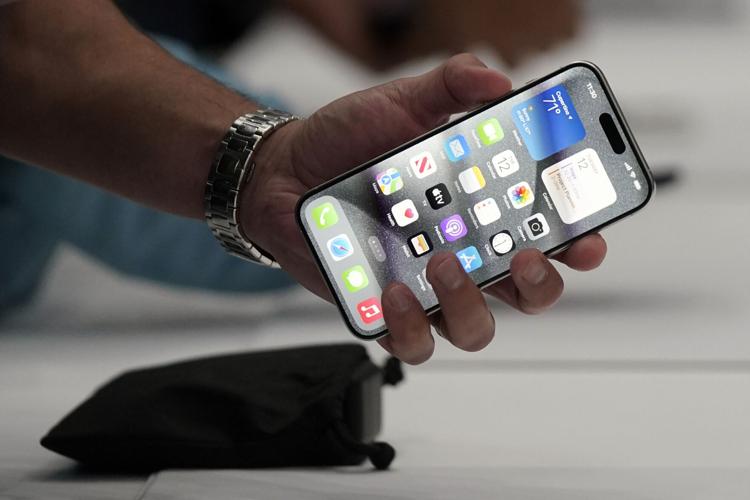
FILE - A person holds an iPhone 15 Pro at the Apple campus, Sept. 12, 2023, in Cupertino, Calif.
Here are some tips to make sure location tracking is kept to a minimum:
App permissions
Head to your phone's control panel to check permissions.
iPhone users can go to the Privacy & Security tab, and then to Location Services to check settings for individual apps. It's not a good idea to let apps always use your location in the background, according to cybersecurity experts. Instead, get the app to either ask first before using your location, use it only while you've got the app open, or even never let it use your location.
While you're in Location Services, you might notice little arrows that indicate which apps have used your location. Purple means recently, while grey indicates the past 24 hours.
It's a little different for Android phones because there are so many different versions by various device manufacturers. In general, go to settings, and then tap the Location icon, which lets you turn it on or off for all apps.
To tweak settings for individual apps, tap App location permissions, where you'll get choices similar to those in iOS.
iPhone privacy
Apple has other tools to cut down on third-party tracking that might include location information. On the iPhone's Privacy & Security setting, under the Tracking tab, there's a toggle to Allow Apps to Request to Track. With this switched off, any new app requests will be automatically denied and they will also be stopped from accessing your phone's ad identifier.
Advertising ID
Privacy experts recommend blocking your Google or Apple device's in-house ad identifier, which enables third-party tracking on most devices for better ad targeting.
On iPhones, go to the Privacy setting then scroll down to Apple Advertising, and then switch off Personalized Ads. On newer Android phones, go to the Privacy setting, then to Ads, where you can tap Delete Advertising ID.
Pinpoint or general
Whether you use Android or iOS, they both have settings to allow precisely pinpointing your location by combining wireless signals with data from onboard sensors such as the gyroscope, accelerometer and barometer. This helps to estimate the phone's position if, for example, you're inside a building blocking a GPS signal.
You might not want every app to know this, so you can tell your phone to only share its general location.
On Android phones, turn off the Location Accuracy setting for all apps. On iPhones, switch it on or off for individual apps.

Your Google account
Along with app permissions for your device, it's also a good idea to check your Google account. Google was forced to be more transparent about its location tracking practices after a 2018 Associated Press story that found the company continued to track people's location data even after they opted out of such tracking by disabling a feature the company called "location history."
Go to myaccount.google.com and then to the Data & Privacy section, where you'll find the Location History controls. Under recent changes, the history will be deleted after three months, though you can change that default setting.
Browsers
Popular smartphone web browsers like Safari or Chrome could give away your location, so try using one that that doesn't store information about you, like DuckDuckGo, Firefox Focus or Ecosia.
If a privacy-focused browser needs to access your location through your IP address, they will ask first. It will also let you easily delete your cookies and other web browsing data.

Find my device
Phones or tablets also can be tracked with Apple's Find My or Google's Find My Device features for recovering lost devices. You can turn this feature off if you think someone has gained access to your Apple or Google account.
Tradeoffs
There are so many possible ways for smartphones — and other devices like smartwatches — to track our location that it's hard to provide an exhaustive checklist.
"The unfortunate truth is that, to shut everything down, we have to go into our device settings and check each app, line by line, and make individual decisions for how those apps collect our location data," said David Ruiz, senior privacy advocate at cybersecurity company Malwarebytes.
"It's either that, or turn off all location data entirely," which could result in inconveniences like having to manually enter your address on ride-hailing apps, or not getting live directions from mapping apps, he said.


Keep breaking your phone? Try these durable phone cases
1. OtterBox Defender Series
Updated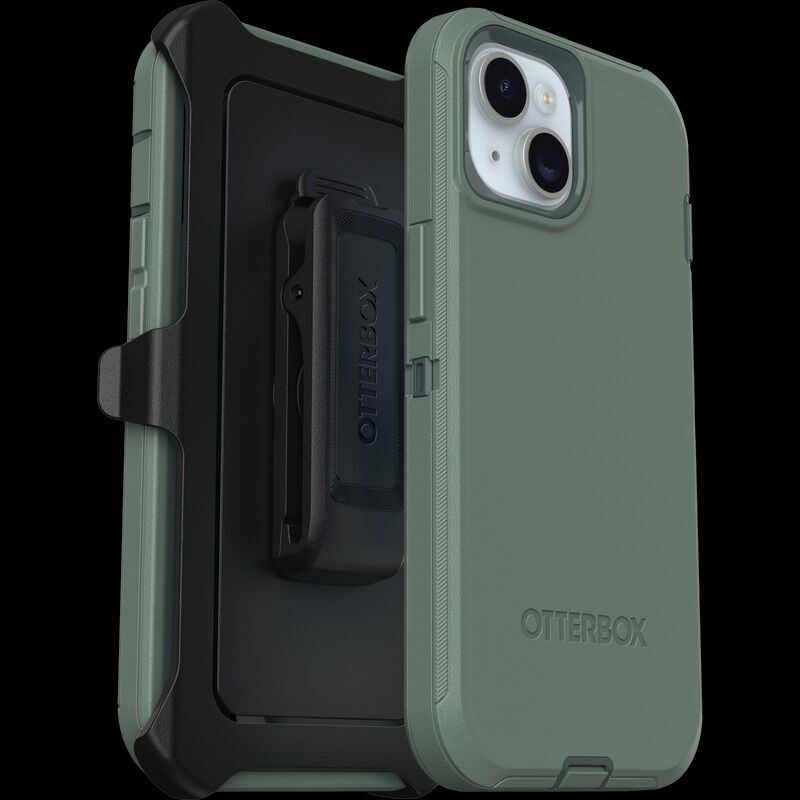
OtterBox has developed a reputation for making extra-durable phone cases, but the Defender series is the toughest of the bunch. The no-slip rubber outer cover prevents drops, but if you drop your phone anyway a tough polycarbonate layer protects it from the fall. Bumpers around the camera also protect the lens. The Defender series has cases for Samsung, Apple, and Google phones.
Buy it here: OtterBox Defender Series, $65
2. Spigen Tough Armor
Updated
If you're looking for a tough phone case with a sleek profile, the Spigen Tough Armor case could be the perfect fit. The military-grade impact foam keeps your screen safe from falls, and the built-in kickstand provides easy, hands-free use.
Buy it here: Spigen Tough Armor Phone Case, $25
3. Casetify Ultra Impact
Updated
Durable phone cases tend to have a rugged look, but Casetify's Ultra Impact series is an exception to the rule. The case protects phones from up to 9.8 foot drops, and comes in pretty colors and patterns.
Buy it here: Casetify Ultra Impact Phone Case, $49
4. Supcase Unicorn Beetle Pro Series
Updated
The Unicorn Beetle Pro phone case from Supcase is as durable as it looks, made from shock-absorbing TPU and polycarbonate. The built-in camera cover doubles as a kickstand. It's also one of the more affordable protective phone cases.
Buy it here: Supcase Unicorn Beetle Pro Series, $27
5. UAG Pathfinder Series
Updated
Frequent travelers and outdoor enthusiasts will love the impact-resistant UAG Pathfinder phone case. The case protects against 18-foot drops with TPU corner protection and a light but durable shell. The series fits iPhones, Samsung Galaxy phones, and Google Pixel phones.
Buy it here: UAG Pathfinder Series, $45