

With the pandemic showing few signs of ending soon, it’s looking like working or studying from home may be a long-term thing. Luckily, if you’ve suddenly found yourself on a tight budget, you can still find a decent monitor for less than $200. But act fast if you find a cheap monitor you want — thanks to so many people currently working from home, they’re going in and out of stock like Black Friday doorbusters.
When buying a budget monitor, you should absolutely check out the listing of what’s in the box.
Make sure that it’s not missing items that would drive the price above that threshold, like a stand or appropriate cables. The stand might not be an issue if you’re planning to use the VESA mount to put it on a wall or an arm. But in that case, you should ensure the mount screws on the back of the monitor match yours: The bulk of these have 100-by-100mm mounts, though in some cases, they don’t support a VESA mount at all.
Upping your budget to between $200 and $300 will bring more 32-inch options and 2,560-by-1,440 resolution. And, of course, the more you’re willing to spend, the more you’re likely to find something in stock and ready to ship.
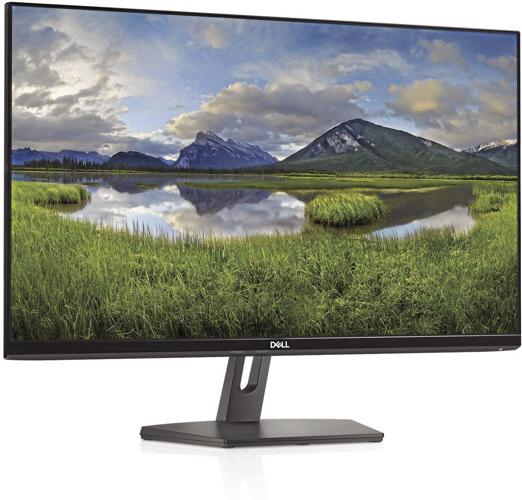
Dell SE2719HR 27-inch FHD IPS FreeSync display

Dell SE2719HR 27-inch FHD IPS FreeSync display
CNET TAKE: This LED monitor is a good option if you’re fed up with eye strain and squinting at your work on a small laptop screen. The display’s thin bezels and built-in power supply make it streamlined and tidy, and you’re pretty much looking at all screen. The base does allow it to tilt — there’s no height adjustment — and has a hole for cable management so you can pass its power cord and a VGA or HDMI cable through to the inputs in back (power and HDMI cables are included).
Along with the screen size and design, you’re getting a 75Hz refresh rate, 4ms response time and FreeSync support, which makes this a bit better for gaming and fast-moving video than your average office monitor. On the other hand, unexciting color performance and seemingly lower-than-spec brightness undercut it solely for that use. It’s fine for mixed use even if it doesn’t excel in any area. Also, that’s about the end of the road for features, so if you want things like built-in speakers, a webcam or VESA mounting holes you’ll have to look elsewhere.
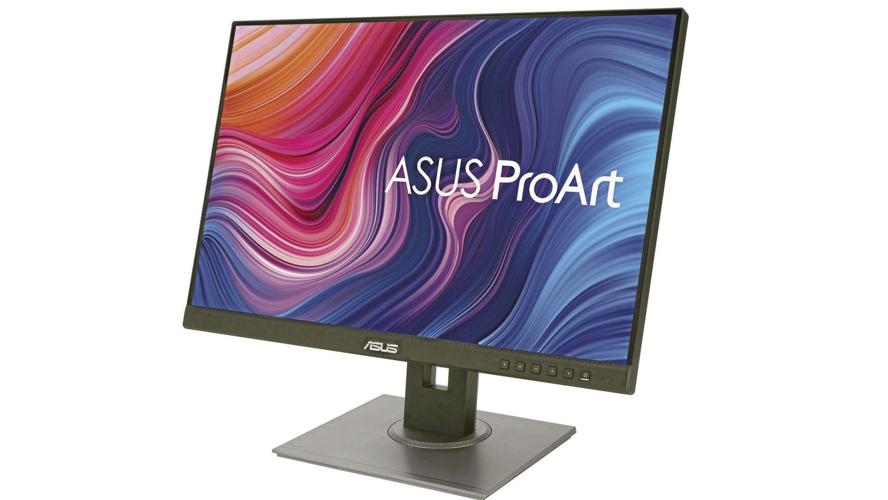
Asus ProArt PA248QV 24-inch UXGA monitor

Asus ProArt PA248QV 24-inch UXGA monitor
CNET TAKE: If you need a color-accurate monitor on the cheap-ish, the 1,920-by-1,200 PA248QV is a great way to go. We tested the 27-inch model (this one’s 24 inches), and its sRGB accuracy is excellent. Plus, it’s quite well-rounded for the money, with a 75Hz refresh rate if you need it for games that don’t have fast action — simulations, turn-based RPGs and so on — a USB hub, a full set of inputs and speakers. And the stand raises and lowers, swivels and supports 90 degree rotation into portrait mode, all of which are unusual for its price class. The speakers don’t get very loud and the connections can loosen when you move it, but otherwise we really like this one.
If you can afford it, the 27-inch model, PA278QV, runs $100 more and ups the resolution to 2,560-by-1,440.
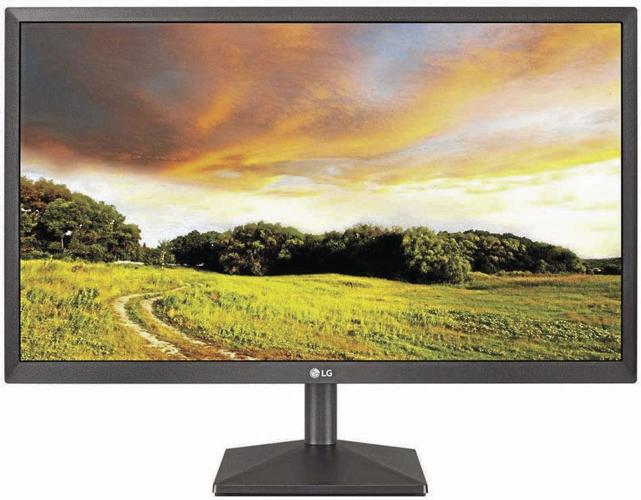
LG 27ML600M-B 27-inch FHD IPS FreeSync display

LG 27ML600M-B 27-inch FHD IPS FreeSync display
CNET TAKE: The LG is a solid, attractive general-purpose choice with some gaming perks. Though we’d hardly call it a gaming monitor, it has features for a good gaming experience, such as the ability to overdrive the response time, a 1ms motion-blur reduction mode and an optional center crosshair. It’s slightly brighter than most, and there’s a Photo mode that seems to improve the color accuracy. It’s got a VGA connector in addition to the two HDMIs (though that’s not uncommon in this price range) if you’ve got a really old device to connect.
This one goes in and out of stock rapidly, so if you need it or want it (for gaming or work) and you see it, don’t wait to buy.
RELATED: 6 big-ticket home office items to invest in for comfort, style and productivity
6 big-ticket home office items to invest in for comfort, style and productivity
The new normal
Updated
Do you remember what your workspace looked like at your office? Your real office, not the office that you hastily erected in the dining room back in March, when you started working from home. Neither do we.
Just like 9-to-5 office hours have gone the way of the dinosaur during the pandemic, companies may opt to reduce their office footprint, making WFH less the exception and more the new normal.
It's time to get serious.
If your home is going to be your primary office for the foreseeable future — or years to come — you might consider investing in outfitting your space for efficiency, ergonomics and a little enjoyment. Here are six ways to help you think of this as an investment in yourself.
Put a rug on it
Updated
Chances are you aren't wearing office dress shoes — or any shoes for that matter — to work from home, and a chilly floor underfoot is a bad way to start your workday. Ikea's black and white handwoven wool Stockholm rug is not just unique looking with its bold stripes, it's durable and soil-resistant, and the flat weave makes it a great staple for your office. $199, ikea.com. The handwoven soft wool and earthy red tones of the Vesterborg rug adds a cozy layer of warmth to your floor and ambiance to your space. $299, ikea.com.
Consider a larger screen desktop
Updated
Making do with a laptop? Not anymore. You can keep the laptop when you want to move around your house. But a desktop computer, with a bigger screen, can help alleviate some of that neck and eye pain. This 27-inch iMac has a Retina 5K display, and higher quality camera, speakers and mics (which can make Zoom events more vivid). $1,799, apple.com.
Take care of your posture — and comfort
Updated
Consider investing in a chair with both style and substance. The Modway Articulate Ergonomic Mesh Office Chair is adjustable, comes in six colors, and provides a breathable mesh back, lumbar support with a padded and contoured mesh seat cushion. $142.79, amazon.com.
If you're looking for the Ferrari of desk chairs, go for the iconic Herman Miller Aeron Chair, which has been the go-to office chair since its debut in 1994. $995, hermanmiller.com.
Get a desk that functions for you
Updated
Yes, other people in your household may use it, but get what works for you and your needs. Need storage space (get one with drawers), need something wide with plenty of space to spread out? A desk is out there waiting for you. Crate & Barrel's Spotlight Ebony X-Leg Desk may be perfect for you and your space given its sleek tabletop, left-side drawer divided into organizational compartments for office supplies; and space for a keyboard or laptop. $599, crateandbarrel.com.
Get better lighting
Updated
Don't just make do with what you have; upgrade your lighting to help with eyestrain, headaches and blurred vision symptoms, which can detract from productivity. Flos' Tab LED table lamp has a tent-like head of painted aluminum that swivels 45 degrees to direct light on your desk or to aid reading on the couch. The diffuser is specially designed to avoid the "multi shadow" effect of multiple LEDs. $395, store.moma.org.
Fashion icon Paul Smith has updated the classic Anglepoise Type 75 Desk Lamp with an edgy color palette. The aluminum shade and weighted base can be repositioned with the lightest touch, and remain perfectly in place once released. $255, rejuvenation.com.
Keep your desk clean with shelving
Updated
The piles of books and paper on your work desk can impede your elbow room, so make sure you have a place to store the things you need nearby. CB2's V Bookcase and Room Divider has seven slanted shelves in alternating angles which create an airy, uncluttered silhouette. It disguises clutter while adding style. $799, cb2.com.
___
(c)2020 Chicago Tribune
Distributed by Tribune Content Agency, LLC.