


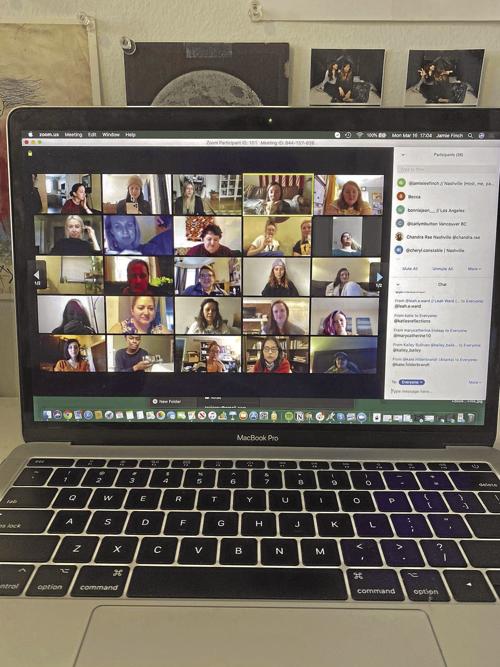
The coronavirus may be keeping us physically away from our family and friends, but in some ways we’re more connected than ever. Video chatting apps like FaceTime, Google Hangouts and Zoom allow us to see friendly faces, and text messaging can help us keep connected throughout the day. So there’s no better time than now to brush up on video chatting and texting etiquette. We all have that coworker who forgets to hit mute, that friend who hijacks the group chat and that family member who is just a little too close to the camera — so if we’re gonna use technology during social distancing, let’s do it right.
Use your computer
If your computer has a camera, it’s almost always better to use for video chatting than your phone. For framing, for steadiness, for quality, for everything. IPads are typically better than iPhones as well. Plug in headphones with a microphone for even better audio, too.
Watch the Wi-Fi
Everyone’s internet connection quality is different, so this may vary. If you’re using your phone for a video chat, it’s typically better to be on Wi-Fi than cellular data for video quality. But if you are on Wi-Fi and the chat is acting up, try switching to cellular and see if that improves it. Trial and error is a key part of video chatting.
Framing
Whatever you’re using for your video chat make sure you’re properly framed. Before your chat starts, don’t be afraid to scope out how you look. Don’t be too close to the camera, but don’t be too far. Turn off the TV behind you. Have the camera coming at eye level so your friends and family can see your whole beautiful face. People often have the phone or computer at too low an angle, which isn’t doing you any favors.
Wait your turn to speak
It’s fun having your whole family on the screen in a video chat — it makes it feel like you’re the Brady Bunch — but a good chat can go sideways in heartbeat if everyone starts talking at once. Doing this in Google Hangouts, which changes whose feed is in the center of the chat based on who’s talking, will give you motion sickness. Taking turns talking may sound a bit like kindergarten, but it works wonders in big chats. Raise your hand to speak if you must.
Lighting
You may be in the dark on technology, but you don’t have to chat in the dark. Use proper lighting so it doesn’t look like you’re in the “Blair Witch Project.”
Mute is your friend
This applies to work video chats mostly, but can come in handy in family video chats as well. You can always unmute yourself and repeat something that needs to be heard. You can’t take back something you wish had been muted.
24 best tools and apps for remote working
Remote work: Your ultimate guide for managers and employees
How to avoid burnout during the COVID-19 crisis
Group chats
If texting is more your speed than video chatting, group chats can be a godsend. But these chats present their own set of challenges. Try to be consistent — creating too many chats (especially ones with the same people) can be maddening. Also, it’s fine to address individuals in the chat, but if you’re talking about something that applies to only one person, it may be time to just text them outside of the chat.
Spellcheck
We all make typos, and texting is obviously informal. But before you hit send on that text, make sure you give it a quick look. We’ve got plenty of time on our hands, don’t we?
Patience
Patience is a virtue. Times are tough. We’re all stressed. People who don’t usually rely on technology now have to, whether it’s for work or just to see their family and friends. So feel free to share this list to less tech-savvy friends and family members, but try not to roll your eyes too much. Take a deep breath, and try to help them out. We’re all in this together, and technology (while sometimes frustrating) helps keep us that way.