
The other day I went to Tucson City Court looking for information about a criminal defendant’s previous crimes.
It was Daniel Michael, the man accused of using a hatchet to attack and kill another man, Jacob Couch, downtown last month. My plan: Figure out through filings at various courts if there was a way that our systems could have or should have intervened with Michael before it got to this. Standard journalistic stuff.

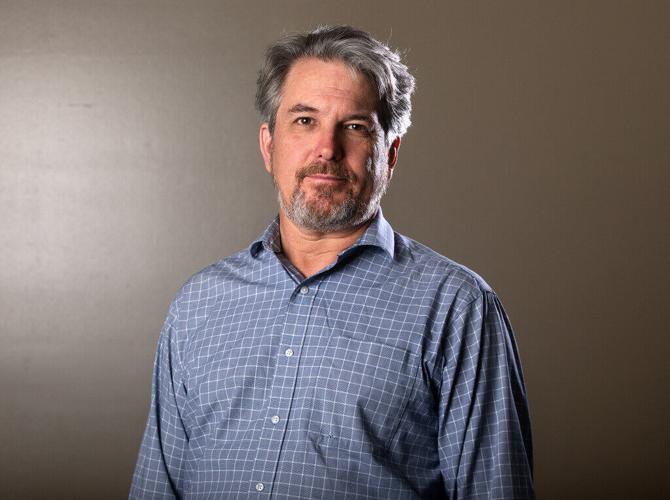
Arizona Daily Star columnist Tim Steller
There were indeed records for Michael. On my computer, I could see the list of filings: Complaints, motions, warrants. But when I went to city court and asked for copies, I was told to fill out a form and wait for a call in up to three days. I was even told I could only order certified copies, which made the price a minimum of $17 per case, plus a per-page fee. (It turns out you don’t actually have to pay for certified copies.)
I decided to go ahead, even though that timing would be too late — my column was scheduled to run before I’d get the documents. And it was crazy expensive for a few filings. A couple of days later, I got the call: My copies were ready and would cost $37.50.
Digitization was supposed to make information more available. And it has, in some realms. I go to the Pima County Recorder’s Office website occasionally to look up property transactions and tax liens from the comfort of my computer. I go to Tucson’s Property Research Online site to get information about permits and code enforcement for a given address.
But in the courts, especially the lower-level local courts, the effect of digitization has been the opposite. Although it’s true that these courts usually accommodate journalists’ requests with fast service, I tried to get documents the way the general public does to test the system. It’s mostly harder to get information now than it was in the old days of paper files.
The days of paper files
Back in the mid-to-late 1990s, in Flagstaff, where I started my career and in Tucson, the system for viewing court files in most courts was pretty simple.
You went to the clerk’s office, you looked up the case number for the person you were interested in, and you filled out a form to request the file. They brought you a paper file, which you could read within eyeshot of the clerk’s desk, and you could leaf through it, request copies of certain documents and pay for them.
The magic of this process was that you could find unexpected things: Portions of grand jury testimony, background on a police stop or search, details of the defendant’s history — or the history of a testifying police officer — along with letters and affidavits. Court files tell all kinds of unexpected stories that shed light on our criminal justice and civil court system. They’re a window into a world that is usually hard for outsiders to penetrate.
Joshua Halversen, the administrator of Tucson City Court, surprised me when he told me there actually still are paper files in that court.
“We’re a very high-volume court,” Halversen said. “We have lot and lots of paper files.”
However, now, you have to set up an appointment to review a paper file, and it costs $17 to review up to three case files, although Halversen noted that fee could potentially be waived if the person ordering the files gets no copies.
This is, of course, a major step back from the old days, when you could get a file that day, if it wasn’t already archived, and then just pay for whatever copies you ordered.
Federal courts easier
There’s only one court system I use that is easy to penetrate through digitization. PACER, the federal court filing system, has been much criticized, but compared to the local alternatives, it is ideal.
PACER offers access to the documents from any federal court case in any court across the country to anyone with a computer who can set up an account. You can leaf through files and get a feel for a case, sort of like the old days.
The only problem is to actually open a document, you have to pay 10 cents a page. In the days of paper files at federal court, you could know what was in a document before you paid for a copy of it.
At least there is a limit to the costs: PACER will charge you no more than $3 per document no matter how long it is. And if, in a given quarter, you accumulate less than $30 in charges, PACER won’t charge you at all.
System slow, hard to navigate
On Monday, I decided to check out the Pima County Justice of the Peace court to refresh my memory of how things work there. It wasn’t much better than Tucson City Court.
I looked up a case on my own computer, took a ticket, and asked a clerk for certain documents. I was told it would be three to five days and 50 cents per page. But rather than paying that fee, I could be emailed the documents for free — a nice service, but slow. And still I had to know specifically what document I was looking for from a list of documents with generic titles like “Opposition to Def Mtn.”
Things are much better at Pima County Superior Court. There you can go into the clerk’s office and sit at one of a half-dozen computer terminals, pull up documents and request that they be printed. Then they’ll be printed quickly, although the cost is significant at 50 cents per page.
The key is: You can peruse the actual documents without paying for them, and you can get printouts quickly if you need them. The system isn’t perfect — you can’t find most of these documents online from any computer, just in the clerk’s office. But it is better than at the lower courts, where so much of people’s everyday interaction with our court system occurs.
There, at a minimum, some version of Superior Court’s system should exist: A way to look at the actual case documents in the courthouse and order copies then and there. Even better would be if some day we could take full advantage of digitization and have a system like PACER for these lower courts.